How to Plan Your Day Effectively with Time Zones and Weather Updates
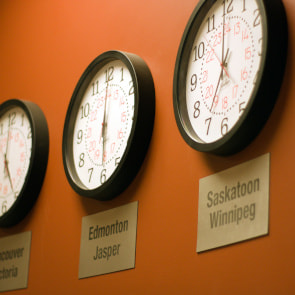 Some days feel easy. Others get messy fast when people live in different places and the weather keeps changing. To plan your day effectively, check two things first: the right local time and the expected weather. Match your tasks to each person’s time zone, watch for weather changes that may affect travel or outdoor plans, and use simple tools to keep your schedule clear and realistic.
A good plan is not only about filling a calendar. It is about knowing when things can happen and what might get in the way. That is why time zone planning and weather-based scheduling matter so much in daily life.
How to plan your day effectively when time zones matter
A helpful place to start is an official world time zone map from NIST. It gives you a simple view of how different regions line up across the day.
Time zones affect daily planning because 9:00 a.m. for you may be bedtime for someone else. If you forget that, calls get missed and work slows down.
Start with your own local time. Then compare it with the other person’s local time before you set a meeting, a deadline, or a reminder.
Many people use time zone converters to avoid quick mistakes. These tools help you see the same moment in more than one place.
UTC can also help. It gives you one shared reference point when you need to coordinate across time zones. Instead of guessing, you can say, “Let’s meet at 14:00 UTC,” and then each person can check their local time.
You can also use a time zone calculator when your day includes calls, travel, or team projects. It saves time and cuts confusion.
What weather factors should I consider when planning my day?
Weather can change the whole shape of your day. A smart schedule leaves room for weather-informed decisions, especially when travel, exercise, or outdoor work is involved.
Check weather updates early in the day, not after you leave home. A small change in the forecast can affect your route, your clothing, or how long a task will take.
Focus on the weather conditions that matter most for your plans:
- Rain or snow can slow travel and cancel outdoor tasks.
- Heat and humidity can make physical work harder.
- Wind can affect driving, biking, and outdoor events.
- Storms can delay flights, meetings, and deliveries.
This is the heart of weather-based scheduling. You do not need to fear every forecast. You only need to ask, “Will this weather make my plan harder, slower, or unsafe?”
How can I coordinate schedules across different time zones?
The easiest way to coordinate across time zones is to build your day around overlap hours. These are the hours when both sides are awake, available, and able to focus.
For example, a daily planner can show your morning, afternoon, and evening blocks. Then you can mark the overlap hours for another city or country. This makes team calls and family chats much easier to place.
It also helps to choose one main tool for shared meetings. A free online meeting platform can reduce back-and-forth when people are joining from different places.
Keep your timing clear in every message. Write the meeting time, the time zone, and the date. This matters even more near midnight, when the date may be different in another region.
Why does UTC help so much?
UTC is useful because it stays steady as a shared standard. It helps when your group works across many regions and needs one reference point.
You do not have to live in UTC. You only need to use it as a base. From there, each person can convert the meeting into local time.
What tools help with time zone conversion?
Several tools can make time zone planning easier. The best ones are simple, fast, and easy to read.
A good setup often includes a calendar app, a daily planner, and one or two scheduling tools. Some people also keep countdown timers open for urgent tasks, meeting starts, or travel cutoffs.
Daily planning tips for weather-based scheduling and time zones
Good daily planning tips do not need to be hard. The goal is to build a plan that fits real life.
Here are a few habits that work well:
- Check your calendar, time zones, and forecast before you start your first task.
- Put fixed events first, such as meetings, pickups, and travel times.
- Group flexible tasks into time blocks that can move if weather or timing changes.
- Leave space between tasks so delays do not ruin the rest of your day.
This approach helps you plan your day effectively without feeling locked in. It also makes weather-informed decisions easier when things shift.
| Key term | Plain-English definition |
|---|---|
| time zones | Different regions of the world that use different local times. |
| UTC | A shared world time standard used to compare times across places. |
| local time | The current clock time in a specific city or region. |
| weather forecasts | Predictions about upcoming weather, such as rain, wind, or heat. |
| weather conditions | The actual or expected state of the weather during your day. |
| daily planner | A tool, app, or notebook that helps you organize tasks and events. |
| scheduling tools | Apps or services that help you set, share, and manage times. |
| time zone planning | The habit of checking time differences before making plans. |
| weather-based scheduling | Planning tasks around expected weather changes. |
| coordinate across time zones | To match schedules fairly for people in different regions. |
A simple way to build a better day
A strong plan starts with reality. Time zones tell you when something can happen, and weather tells you how smoothly it may go.
When you combine both, your schedule becomes calmer and more useful. You miss fewer calls, avoid rushed travel, and make better choices with your time.
The best part is that you do not need fancy systems. A daily planner, clear local time checks, weather forecasts, and a few scheduling tools can go a long way.
If you want to plan your day effectively, think beyond your own clock. Look at the people, places, and weather around your plans. That is how a busy day becomes a manageable one.
Breadcrumbs
Tags